Project · 2026
Smart Home
A self-hosted smart home control platform that unifies Govee, Hue, Ring, Roborock, and Home Assistant devices behind a single React dashboard with routines, presence modes, and event automations.
- TypeScript
- React
- Express
- Prisma
- SQLite
- Vite
- TanStack Query
- Tailwind
- Radix UI
- Zod
- PM2
Project snapshot
- Status
- Live private deployment for household device control.
- Integrations
- Govee, Philips Hue, Ring, Roborock, and Home Assistant behind one control surface.
- Surfaces
- Devices, routines, event automations, presence modes, themes, cameras, cleaning, and discovery.
- Ops
- Private deployment with scheduled device refresh and a validated data layer.
Technical proof
- Provider controllers initialize at API startup alongside routine, event, and state-refresh schedulers.
- Admin tooling covers access control, notifications, reliability insights, and operational review.
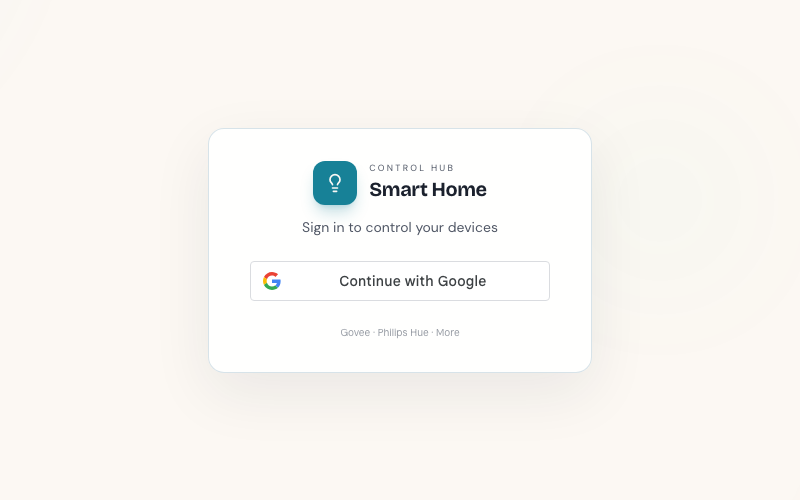
- Google OAuth provisions unknown users on first login while keeping the control hub private.
What it is
Smart Home Control is a full-stack TypeScript monorepo (packages/api, packages/web-app, packages/shared) that serves as a unified control surface for heterogeneous smart-home hardware. It is operated as a private household system.
Architecture tour
The repo is an npm workspaces monorepo with seven packages: api, web-app, shared, and four extracted libraries, device-core, automation-core, api-client-kit, and ui-ops-kit, each pulled out of the API and app to give provider contracts, automation matching, API-client conventions, and admin UI primitives their own build and version. packages/api is Express over Prisma/SQLite. packages/shared holds provider enums, shared types, and Zod schemas (validation/schemas.ts) that both the API and the frontend import, so a device payload is validated against the same shape on both ends instead of two definitions drifting apart. packages/web-app is a Vite/React SPA that talks to the API over TanStack Query.
On boot, src/index.ts wires up device controllers (controllers/index.ts), provider adapters for Govee, Hue, Ring, Roborock, and Home Assistant (providers/index.ts), a routine scheduler, a device-state refresh scheduler, and the event-automation bridge, in that order, before the HTTP server starts accepting requests.
A design decision worth calling out
event-automation-bridge.service.ts is the part I’d point to if someone asked why a specific piece looks the way it does. Normalized device events flow through a single shared queue (event-stream.service.ts), and the bridge listens on that queue and hands each event to processEventAutomations. The call is deliberately not awaited, and the code says so in a comment: awaiting would mean a slow-running routine (routines can wait for hours between steps) stalls the queue for every event behind it, and the queue drops its oldest entries once full. So the bridge fires automations concurrently and leans on a compare-and-set against lastTriggeredAt inside processEventAutomations to keep overlapping passes from double-firing the same automation, rather than serializing the bridge itself. It’s a small function, but it’s the kind of decision that only reads as obvious after you’ve hit the alternative (a stalled queue) once.
The other one is openapi-parity.test.ts, which checks that every route file under src/routes has a matching mount prefix in the generated OpenAPI document. Docs drift from code by default. This test fails the build the moment a route gets added or moved without the OpenAPI spec catching up, which is cheaper than finding out from a stale doc later.
Testing
There are 228 test files across the monorepo (*.test.ts / *.test.tsx), plus 41 files under packages/web-app/tests/e2e for Playwright end-to-end and visual-regression coverage. Most of the API’s route and service files carry their own colocated test (routines.ts next to routines.test.ts, event-automation.service.ts next to event-automation.service.test.ts), and there’s a run of *.integration.test.ts files (commands.integration.test.ts, events.integration.test.ts, audit-trail-order.integration.test.ts, bot-workflows.integration.test.ts) that exercise routes end to end rather than mocking the service layer. The Prisma schema has 22 migrations in packages/api/prisma/migrations, tracking the data model as it grew from a single-provider device table into zones, routines, event automations, presence, themes, and audit logging.
Dashboard surfaces
The React frontend organizes around seven primary surfaces. Devices shows the full paired inventory with quick controls, brightness sliders, power toggles, and a Group Workspace for creating zones and applying shared state across compatible devices. Workflows covers three tabs: Routines (time-triggered sequences), Event Automations (webhook-driven or state-change-driven), and Presence (modes that bind to location or network events). Themes stores reusable lighting presets with tagging, starter packs, and bulk deduplication. Cameras and Cleaning are filtered views over the same device inventory, scoped to Ring cameras and Roborock vacuums respectively. Discover handles provider scanning, pairing, and unpairing.
Admin and auth
Admin tooling includes access control, notification configuration, device discovery, routine reliability insights, and operational logs.
Auth uses Google OAuth with JWT sessions, and unknown Google users are auto-provisioned on first login.